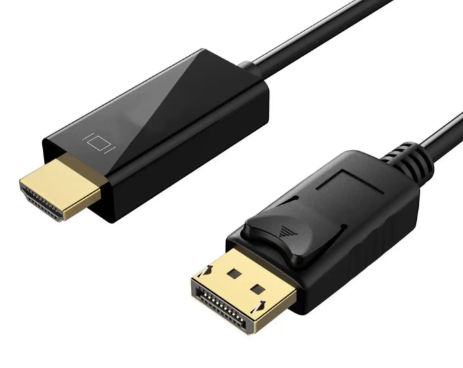
Both DisplayPort and HDMI interfaces can transmit high-quality audio and video signals, including color information. If the signal settings transmitted by two interfaces are the same and the connected display or receiving device can accurately reproduce these signals, the colors output through DisplayPort and HDMI should be completely consistent.
1, Color depth and format
DisplayPort: Supports higher color depth, up to 10 bits per channel, which means it can transmit richer color information, provide finer color transitions, and smooth gradient effects.
HDMI: Early versions of HDMI (such as HDMI 1.3) supported 8-bit/channel color depth, while HDMI 2.0 and higher versions also supported 10 bit/channel. The new version of HDMI can also transmit color information equivalent to that of DisplayPort.
2, Signal compression
DisplayPort: Supports lossless compression techniques such as DPCP and LZ compression, ensuring that color information is not lost even at high resolutions and refresh rates due to signal compression.
HDMI: In some cases, if the transmitted signal exceeds the bandwidth of the cable, HDMI may also use compression technology, but this compression is usually lossless and does not affect color consistency.
3, Display calibration
The calibration status of the monitor has a significant impact on color consistency. If the calibration settings of the monitor connected through DisplayPort and HDMI are different, even if there is no difference in the signal itself, the displayed color will be different.
4, Device support
Both the signal source (such as graphics card) and the monitor must support the corresponding color standards and formats to ensure color consistency. For example, if both the graphics card and monitor support 10 bit color, the same quality of color performance should be achieved regardless of whether using DisplayPort or HDMI.
5, Cable quality
The quality of cables can also affect signal transmission. Low quality cables may introduce noise, leading to signal distortion and affecting color consistency. Using high-quality DisplayPort and HDMI cables is essential for maintaining signal integrity.