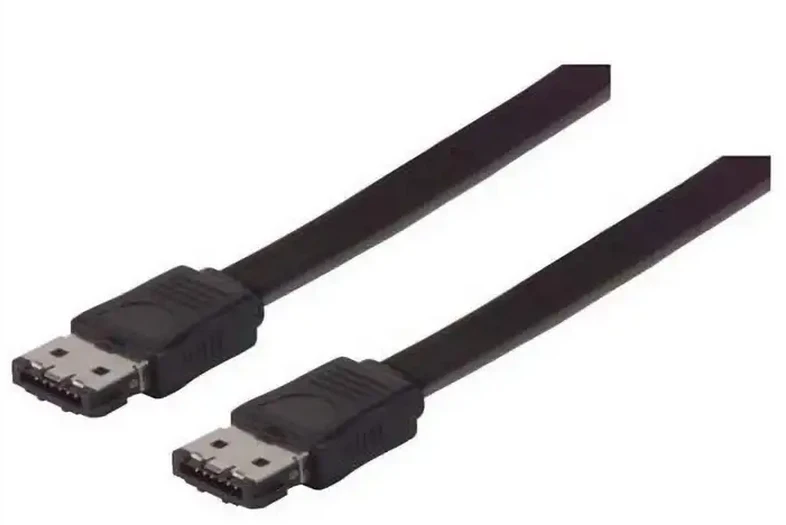
MSATA and eSATA are two different types of interfaces used in different application scenarios. This article will provide a detailed comparison of these two interfaces.
一, mSATA (Mini SATA)
MSATA stands for Mini SATA, which is a miniaturized version of the SATA interface primarily used in laptops, ultrabooks, tablets, and embedded systems. MSATA uses PCI Express (PCIe) 2.0 x1 interface, which can achieve compatibility with SATA through a converter.
1. Size: The mSATA SSD has a relatively small size, typically 50.95mm × 30mm, with a thickness of approximately 3.85mm, making it suitable for devices with limited space.
2. Speed: mSATA supports the speed standard of SATA 3, with a theoretical maximum transfer rate of 6Gbps.
3. Power consumption: Due to their small size, mSATA devices typically have lower power consumption and are suitable for mobile devices.
4. Compatibility: mSATA SSDs can be directly inserted into mSATA slots without the need for additional power cords, simplifying the installation process.
二,eSATA
ESATA is an external version of the SATA interface designed to provide faster data transfer rates than USB, primarily used for external hard drives, storage arrays, and other external storage devices.
1. Interface form: eSATA uses a dedicated physical interface, usually found on the back panel of a computer case, to connect external storage devices.
2. Speed: The theoretical maximum transmission rate of eSATA is 3Gbps.
3. Power consumption: eSATA devices typically require external power supply because the interface itself does not provide power.
4. Compatibility: eSATA devices need to be connected to the eSATA port of the computer through a dedicated eSATA cable, which cannot be plug and play like USB devices and usually requires manual configuration.
三, Comparative Summary
1. Application scenario: mSATA is mainly used for internal storage, especially suitable for portable devices with limited space; ESATA is mainly used for external storage and is suitable for desktop applications that require high-speed data transfer.
2. Connection method: mSATA is connected through a slot directly inserted into the motherboard, while eSATA is connected to the host through an external cable.
3. Power supply method: mSATA devices are powered by the motherboard, while eSATA devices typically require an independent power supply.
4. Compatibility and installation: mSATA installation is simple and does not require additional power cords; ESATA devices require additional cables and power supplies, making installation relatively complex.
MSATA and eSATA each have their own advantages, and the choice of interface depends on the specific application scenario and physical limitations of the device. MSATA is more suitable for devices with limited internal storage and space, while eSATA is more suitable for applications that require high-speed external storage connections.